A new user I have created in Tidy hasn't received their registration email — what do I do?
When creating a new user, make sure both of the following fields are completed:
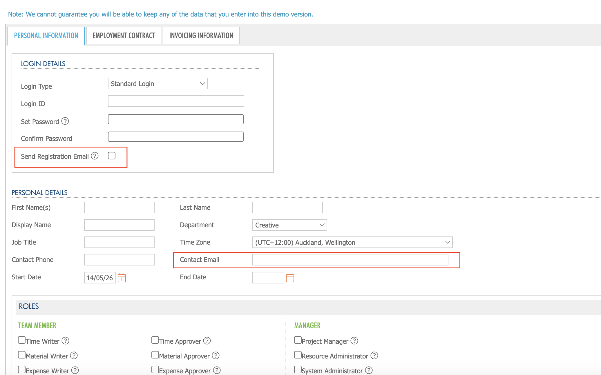
Both of these options are found in the user setup screen under Global Settings > Users.
If you have already created the user without completing these fields, don't worry — you can still fix this. Find the user in your Users list under Global Settings and click the edit icon (circled below).
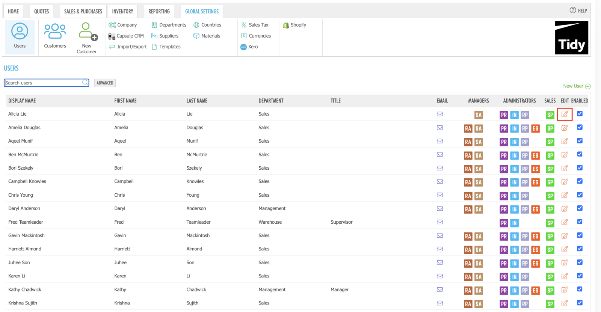
From there, add their email address to the Contact Email field and tick Send Registration Email, then save. The registration email will then be sent to the new user.
Have a look at similar frequently asked questions or visit our FAQs page for more information


