How can I access the Bulk Stock Take feature?
The Bulk Stock Taker feature allows users to perform stock takes more efficiently by updating multiple stock items at once. Access to this feature is controlled by users with Manager permissions.
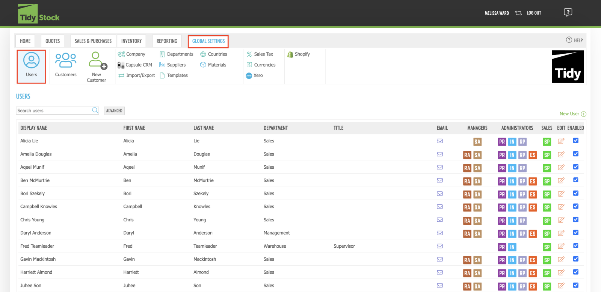
To enable this permission for a user, navigate to Global Settings and select the Users tab.
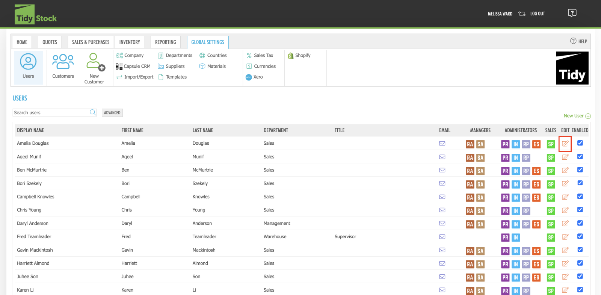
Locate the user you wish to grant access to and click the Edit icon.
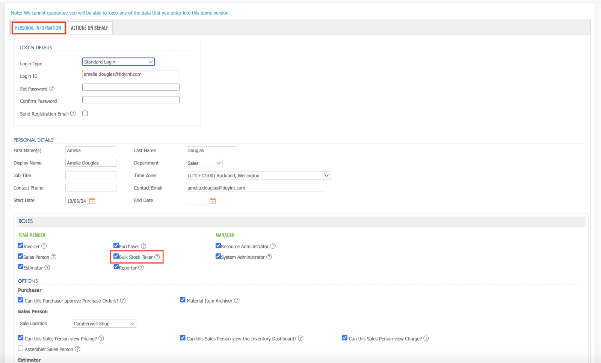
In the user's profile, scroll down to the Roles section under Personal Information.
Tick the Bulk Stock Taker role.
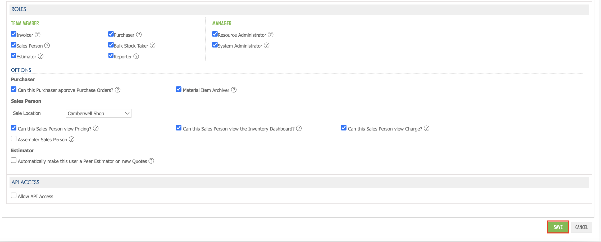
Once you have made your changes, click Save at the bottom of the page.
The selected user will now have access to the Bulk Stock Taker feature.
Have a look at similar frequently asked questions or visit our FAQs page for more information


