
In this guide, learn how to delete an invoice from the invoice queue without sending it to Xero
Want to view this guide all at once?
Download PDFYou are unable to delete an invoice from sitting in the invoice queue, however, you can void them.
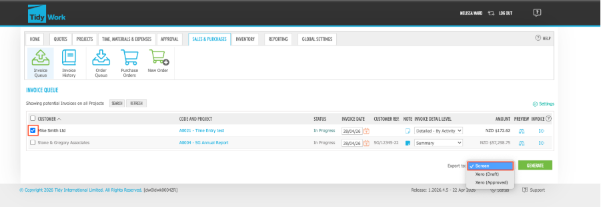
Firstly, in the Invoice Queue tab select the invoice(s) that you wish to Void.
At this stage you will need to export the Invoices.
Check the box(es) of the Invoice(s).
Select the "Screen" option from the dropdown options.
Click Generate.
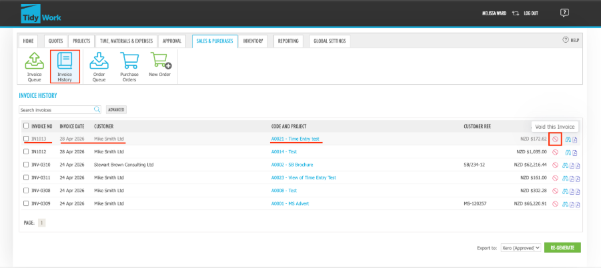
Locate to the "Invoice History" tab.
Now the Invoices you want to Void will appear in this list.
Select the "Void" icon against the Invoice(s) you wish to Void
Want to learn more? Check out these related guides