



In this guide, learn how to dispatch a partial order for managed material items that have insufficient stock.
Want to view this guide all at once?
Download PDFNote: This feature only works with managed material items.
Step 1: Create a new Sales Order with the items you wish to include in the Sales Order. Once you have added these items in, and completed your Sales Order, click the Save and Invoice button to proceed.
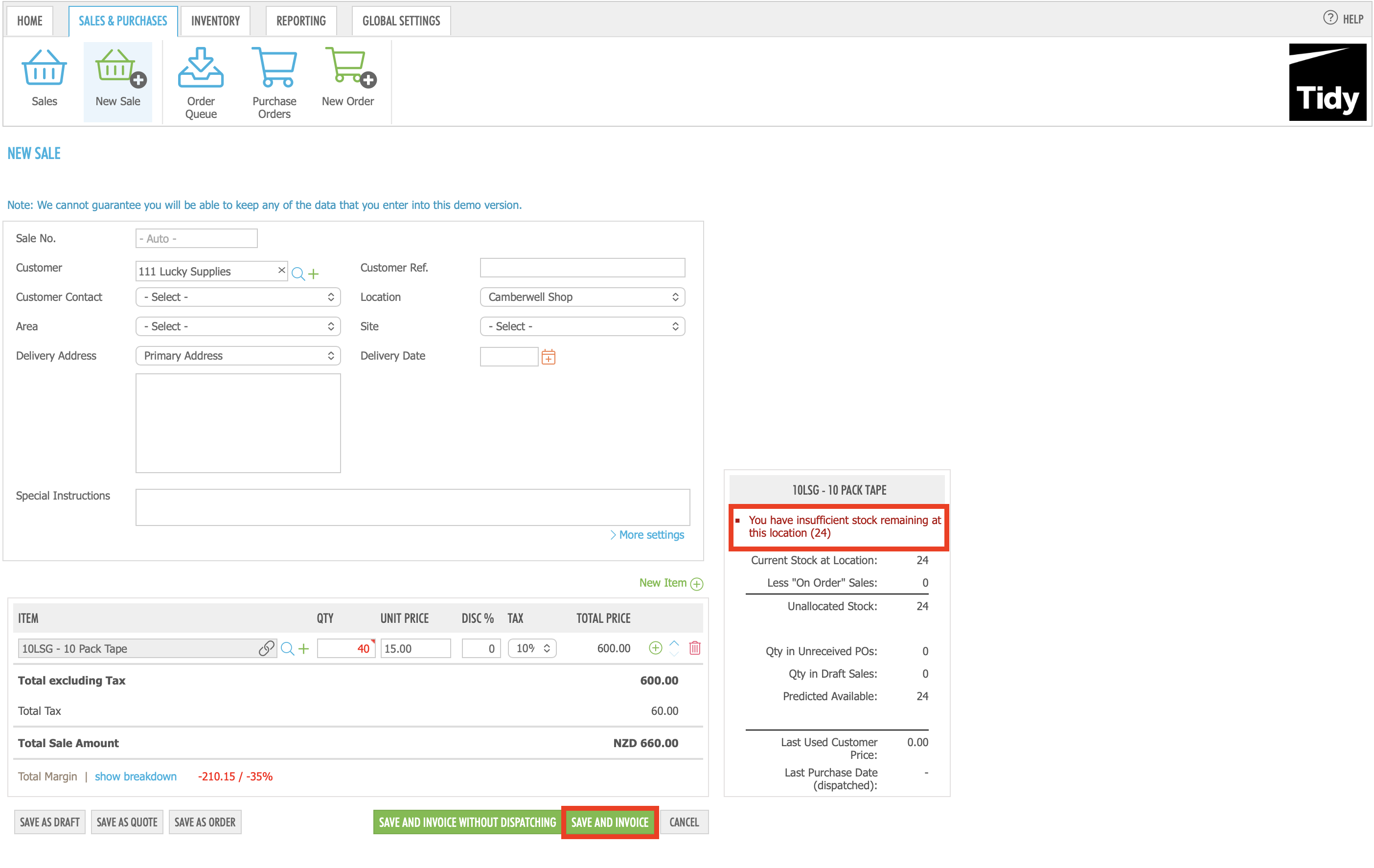
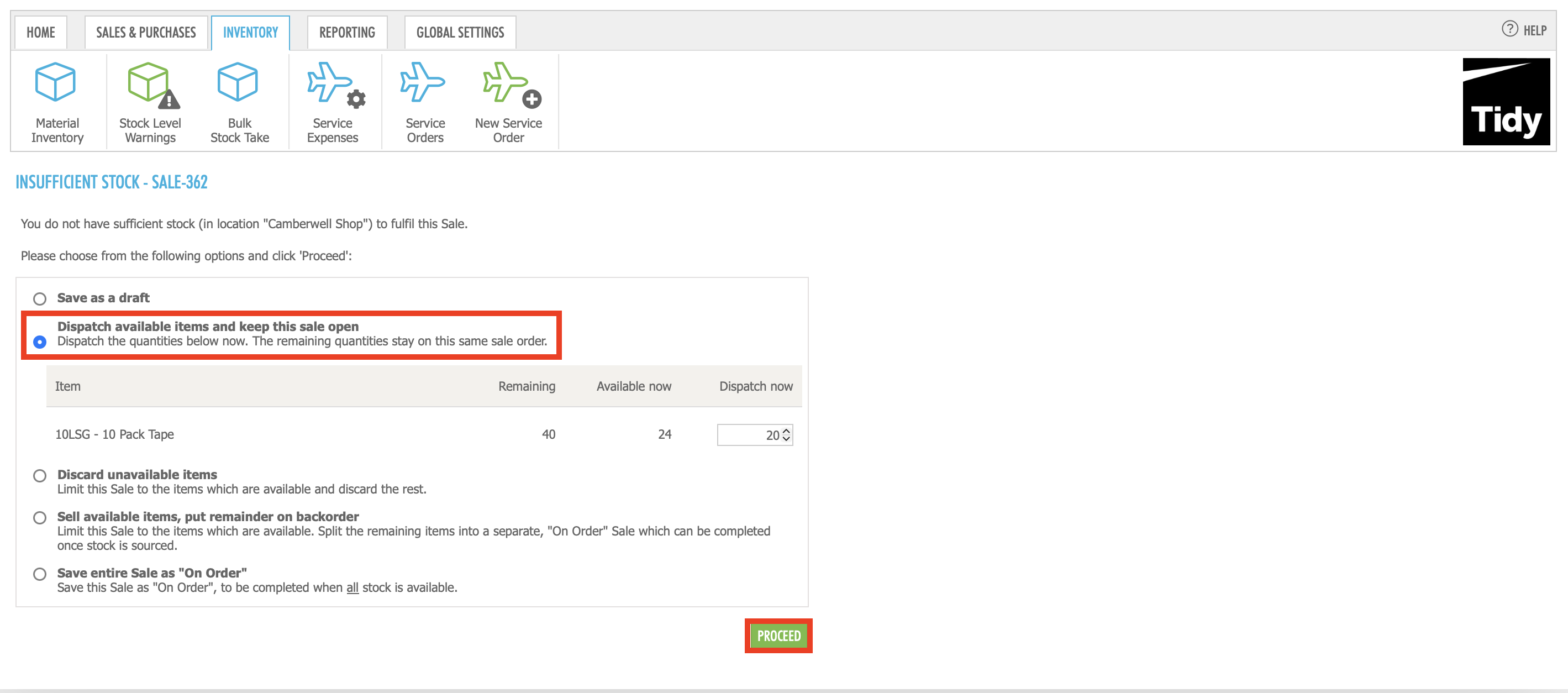
Step 2: On the Insufficient Stock screen, select the Dispatch Available Items and Keep This Sale Open button, and enter in the amount of stock you wish to dispatch now. Once you are done, click Proceed.
Step 3: You will now see the Sales Order status has updated to 'On Order' with the partially dispatched items now displaying in their own section. When you want to fulfil the rest of the order when the inventory is available to do so, you will need to click the Save and Invoice / Dispatch Remaining (stock number remaining) button.
Want to learn more? Check out these related guides.


