
In this guide, learn how to clone a Purchase Order in TidyEnterprise
Want to view this guide all at once?
Download PDFCloning a Purchase Order (PO) is helpful when you need to repeat an order previously placed with a supplier. You can clone a PO regardless of its current status.
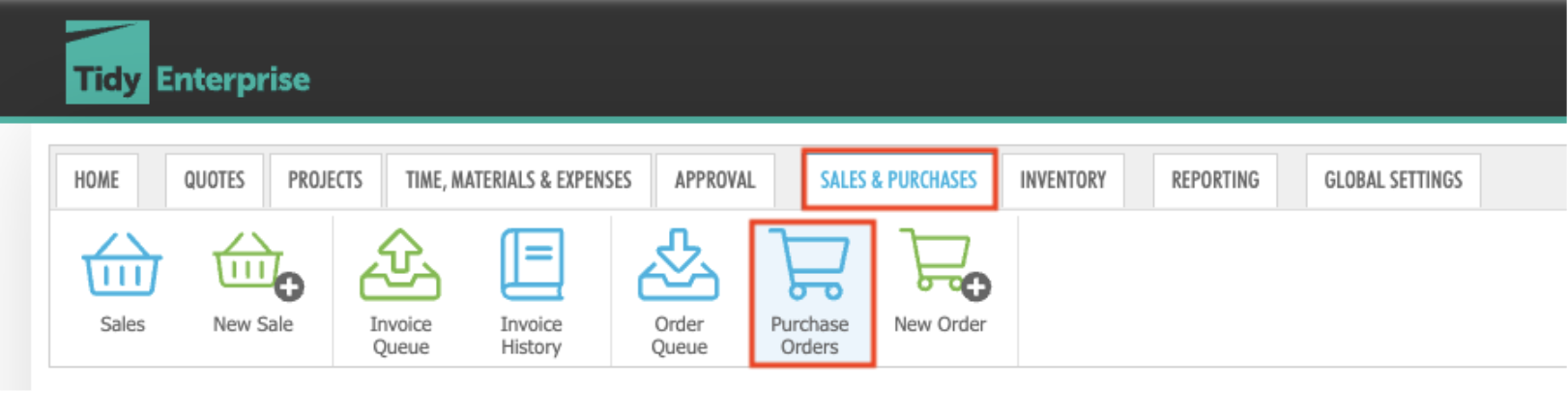
To clone simply go to the Sales & Purchases tab --> Purchase Orders
On the right-hand side of each PO, you will see the clone icon:

Click this icon to clone the selected PO
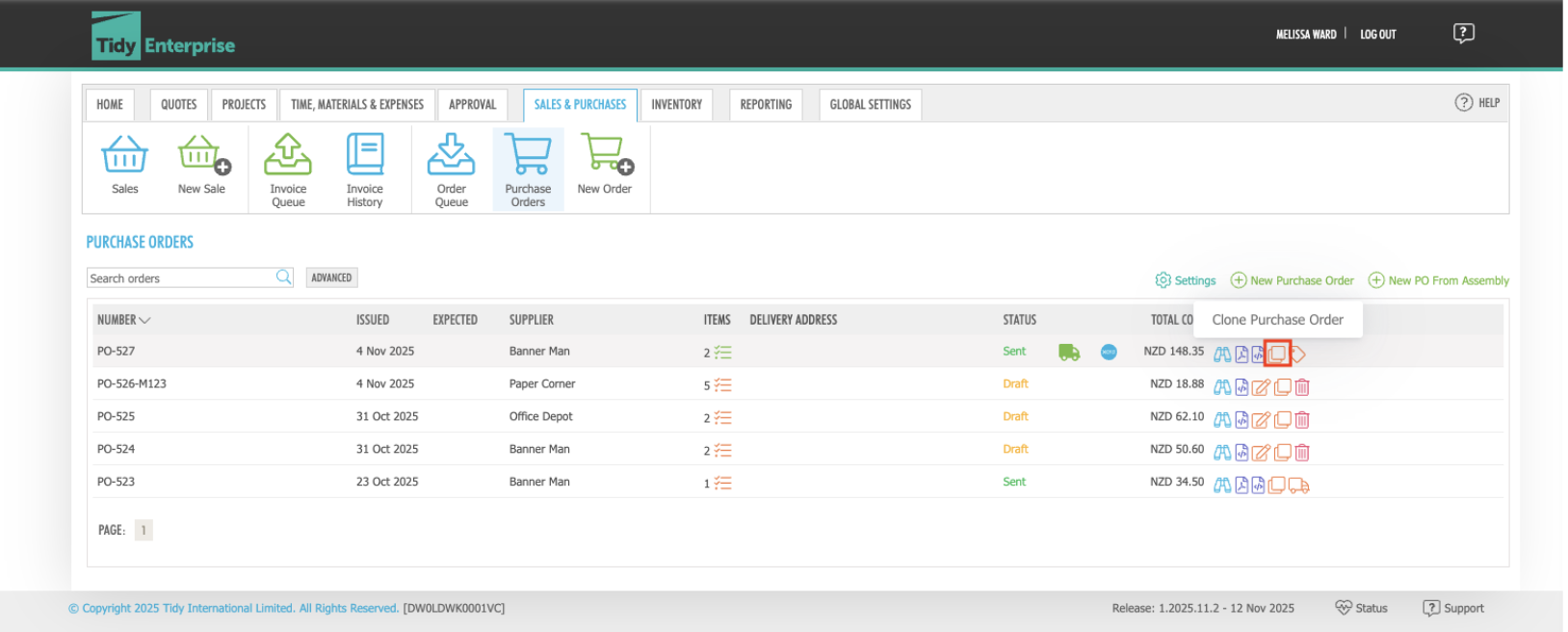
For this example, lets clone PO-527
Once you click the clone icon for PO-527, a new PO will be created.
You’ll notice it appears as a “New Purchase Order”, but all relevant details are copied from the original, including:
The only detail that changes automatically is the Order Date, which updates to the date you cloned the PO.
You can adjust any details as needed before saving.
When you’re ready, choose one of the following:
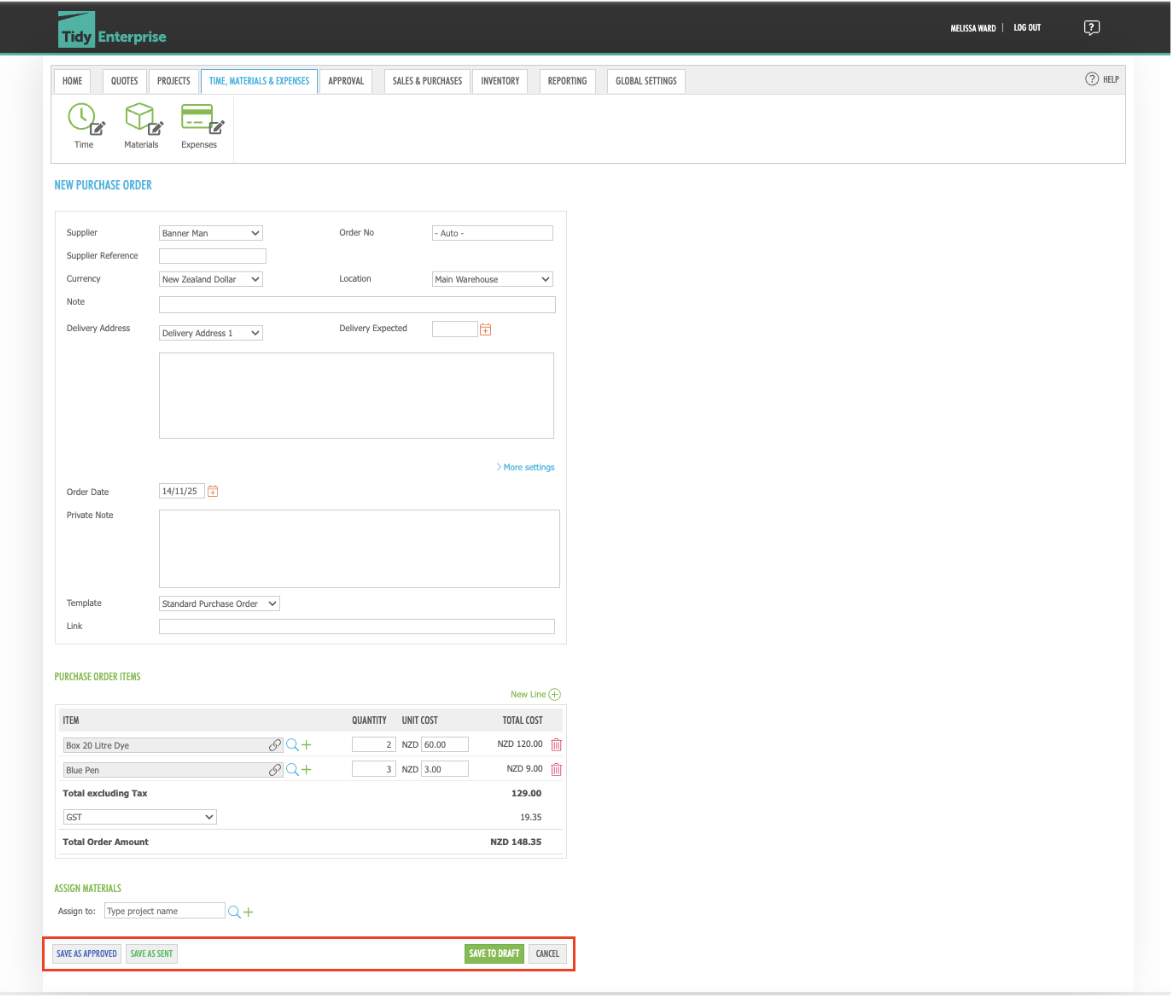
Once saved, the remaining steps follow the standard Purchase Order workflow.
Want to learn more? Check out these related guides